Studio monitors are one of the most important elements of any recording rig. Along with the right recording techniques, room treatment, and space configuration investing in a good pair provides a great return on investment.
We’ve done the best studio monitors under $1,000, so here we define “budget” studio monitors as models under $500, with most in the $300 range. Monitors in this price range are usually powered, so you don’t need an external power amp, and often come in pairs.
Best budget studio monitors overall: Yamaha HS8
Best budget studio monitors overall
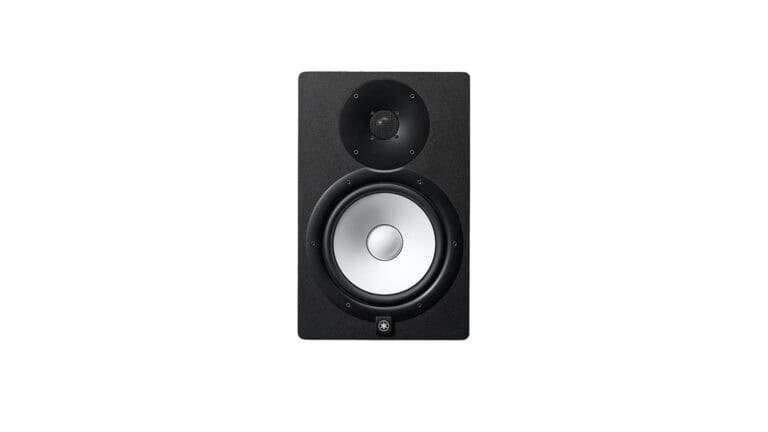
Yamaha HS8
An upgrade from the popular NS models.
Pros
- 38Hz to 30kHz frequency response
- Large driver magnets
- Onboard bi-amplification
- Tuned monitor enclosure
Cons
- Low end reproduction not the best for certain genres
Buy from
We may earn a commission from these links.
The HS series was the natural evolution from Yamaha’s popular NS series of studio monitors. Bi-amp drivers, ports in the enclosures, very little frequency coloration, and accurate stereo imaging are just a few of the biggest upgrades.
With a frequency response that spans 38Hz to 30kHz they’re not as open on the low end as some other options. Active power amps are matched to the woofer and tweeter, and the monitor enclosure design is tailored to minimize unwanted cabinet resonances – or remove them altogether.
Keep in mind, a monitor’s efficacy works hand-in-hand with room treatment, proper physical monitoring configuration, and dimensions of the space you’re working in.
Luckily, the Room Control and high trim offer some ways to offset the drawbacks of a less than ideal acoustic environment.
Best powered budget studio monitors: JBL 308P MkII 8”
Best powered budget studio monitors
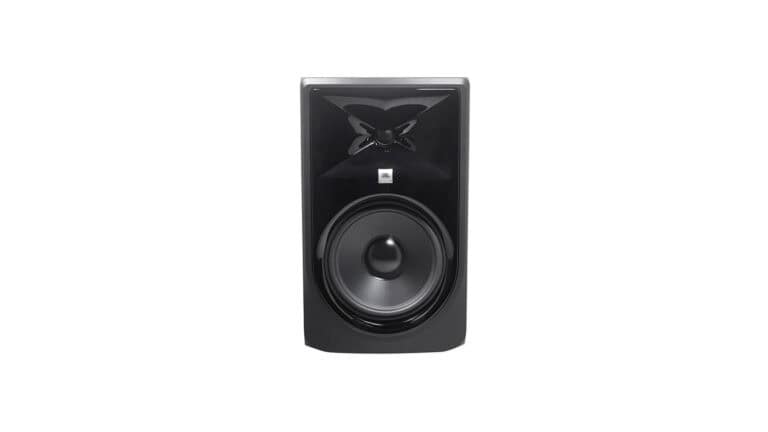
JBL 308P MKII 8″
Compact monitors that work for a variety of studio spaces.
Pros
- Transducers optimized for transient material and a neutral frequency response
- Offset controls to make up for low frequency room issues
- Flexible connection options
Cons
- Sold individually
Buy from
We may earn a commission from these links.
JBL’s 308P are made for project and home studios. It runs on two drivers, an 8” low frequency transducer that nails the bass and midrange, and a 1” that takes care of the highs. Together you can use these monitors for every stage of the production process and get desirable results.
The 112 watts of Class-D amplification is efficient, and a double-flared port is designed to work in tandem with the woofer for the best low end at any playback level. Trim over the high and low frequencies let users set the extreme ranges of the spectrum to whatever is best for your recording space.
Thanks to the XLR and balanced ¼” inputs they integrate with all types of devices. Some people prefer monitors with some midrange hype, but these provide a neutral sound.
This model isn’t sold as a pair. But at just over $500 for two of them they offer a level of value that’s not necessarily so easy to find in budget studio monitors.
Best designed budget studio monitors: PreSonus Eris Pro 8 2nd Gen
Best designed budget studio monitors
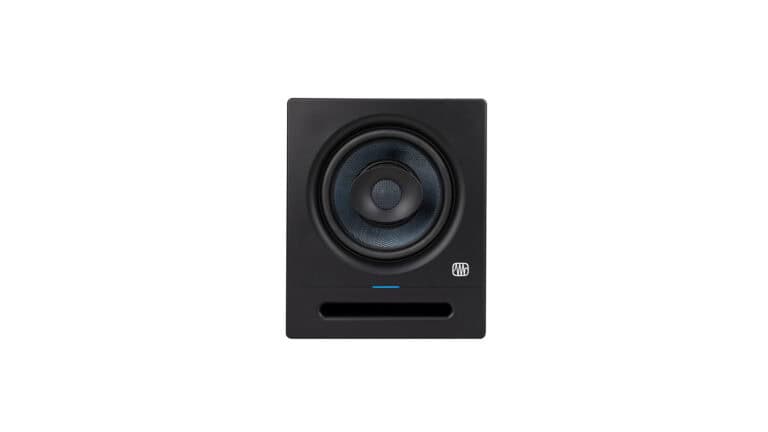
PreSonus Eris Pro 8 2nd Gen
Eight inch drivers and progressive design offer good low end.
Pros
- Coaxial driver has great high frequencies
- Acoustic tuning controls to best match playback to the room
- Built-in protection measures to prevent damage
Cons
- Larger enclosure than other options
Buy from
We may earn a commission from these links.
With a single-point source coaxial construction the Eris Pro 8 2nd Gen’s provide an articulate and accurate sound reproduction. The “sweet spot” is broad, and the component quality offers some of the best phase correlation in monitors in this price range.
The stereo imaging is exact, the transients have solid detail, and the dispersion patterns are symmetrical. This makes them a great choice for Dolby Atmos setups or standard music production rigs. Considering these build qualities, they help reduce ear fatigue. But always watch those levels!
There is some lift in the bass frequencies, which starts at 35Hz. So if you do a lot of low end work, especially in electronic styles with sub-bass tracks like 808s that extend farther down it’s worth considering alternate options.
But the flipside are the sophisticated onboard acoustic tuning controls. Four bands cover the lows, mids, and high end with an Acoustic Space that helps to compensate for room dimensions or treatment deficiencies.
Best two-way active budget studio monitors: ADAM Audio T7V
Best two-way active budget studio monitors
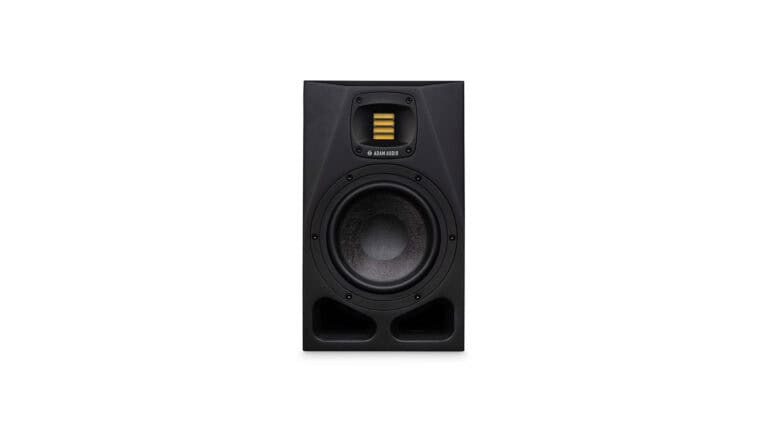
ADAM Audio T7V
Next-generation studio monitor engineering.
Pros
- Proprietary accelerated tweeter
- Low and high frequency trim controls
- Balanced and unbalanced inputs
Cons
- Bi-amplification could be more powerful
- Not sold in a pair
Buy from
We may earn a commission from these links.
There is a lot to love about how the T7Vs are designed. A 7” woofer and rear-firing reflex port translate the midrange accurately and smoothly, which affects the midrange the most.
U-ART tweeters have a diaphragm made of material used in spacecraft technology. This means the high end goes all the way up to 25kHz with reduced color and distortion, with lows that reach down to 39Hz. The woofer has balanced mids that work equally well for mixing and mastering.
It’s a little lacking in the bass, as many other models go down to the 20Hz range. But ADAM Audio planned for that by including low frequency and high frequency trim controls that go up or down 2dB.
Best budget desktop studio monitors: IK Multimedia iLoud Micro
Best budget desktop studio monitors
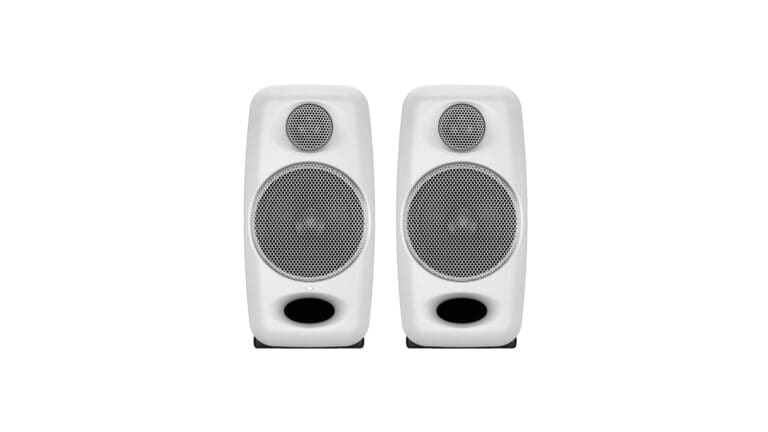
IK Multimedia iLoud Micro
The best desktop reference monitors for music production.
Pros
- Small format desktop reference speakers
- Mobile friendly
- 3 EQ switches
- Isolation bases provide decoupling
Cons
- 3" speakers might be too small for more sophisticated studios
Buy from
We may earn a commission from these links.
Studio monitors with driver diameters of only 3” aren’t the first kind that comes to mind. But there are a lot of reasons to have them at your disposal.
They’re great for checking mixes on smaller speakers, since a lot of listeners these days play audio on mobile devices. Small speakers are convenient to move around, or maybe you just want something a little better than bargain bin computer speakers for streaming media or gaming.
The iLoud Micros offer a linear frequency response without any coloration. You can EQ them other ways if you like, but they’re designed to be transparent out of the box. Just because they’re small, don’t think they can’t reproduce at the low end. Ideally they reproduce frequencies down to 55Hz.
Bi-amped speakers offer 50W of combined RMS power. This means there’s plenty of headroom, and cohesive stereo imaging. The ¾” silk-dome tweeter and 3” custom-composite woofer run on class-D power amps and offer a controlled low end, open midrange, and smooth high end.
There are a number of ways to connect including RCA, ⅛” TRS, and even Bluetooth. If you’re looking to add a small format pair of monitors to your setup, or a second pair to integrate with your monitor controller, these offer a lot of value.
What to look for in budget studio monitors
Consider your room setup first
Even the best studio monitors can only perform as well as the room they’re in. Small, untreated rooms create standing waves, low end buildup, and reflections that negatively affect what you hear.
Consider the dimensions of your workspace and whether you’ll be able to position the monitors correctly with some distance from walls. Investing in basic acoustic treatment or monitor isolation pads can dramatically improve accuracy.
Choose the right driver size
Monitor driver size has a significant impact on performance. Compact 3″-” and 4″-inch” monitors are well suited for small desks and tight workspaces, while 5″ models often provide the best balance between low-frequency extension and room compatibility for home studios.
Larger 6″ or 8″ drivers can deliver deeper bass but typically require more space and proper acoustic treatment to prevent unwanted room reflections.
Choosing the right driver size for your environment produces better results than just buying the biggest speakers within your budget.
Active vs. passive
Most modern budget studio monitors are active, meaning each speaker contains its own built-in amplifier. Active monitors eliminate the need for an external power amplifier, simplify setup, and are designed so the amplifier and speaker components work together efficiently.
Passive monitors are less common for home studios and require additional equipment, which increases total cost. For most beginners and project studios, active monitors offer the best combination of convenience, performance, and value.
FAQ
Are budget studio monitors good enough for professional work?
A lot of budget studio monitors offer great clarity and balance for home studios, content creators, even professional work.
They might lack some of the amplification power or bass response of high-end monitors. But they’re more than capable of producing great results when used with proper studio techniques in a well-treated room.
How should I place studio monitors in my room?
Position them in an equilateral triangle relative to your listening position. Ideally at ear level and away from walls – especially corners. Use isolation pads or monitor stands to minimize unwanted resonances like low frequency coupling. Consider acoustic treatment to reduce reflections.
Are there any downsides to budget monitors?
Budget monitors can have slightly less detail. Cheaper components can affect stereo imaging and clarity. But there are plenty of model options that punch far above their price point.